UnitedHealthcare
- 4.6
- Rating
- 5.00M
- Installs
- Free
- Price

 Analysis by App-foxy
When I use a medical app, I want it to reduce the number of phone calls and surprises between feeling unwell and getting appropriate care. UnitedHealthcare is built around that practical problem: helping members find care and understand what it may cost. I see it as a companion to an existing UnitedHealthcare plan rather than a replacement for a doctor, pharmacist, emergency service, or insurance representative.
The app is free, aimed at everyone from an age-rating perspective, and developed by UNITED HEALTHCARE SERVICES, INC. Its focus is narrow in a useful way: it brings plan-related care searching and pricing into a mobile experience. That makes it more relevant when I am already covered by UnitedHealthcare and need to make a decision, not when I am simply looking for general medical information.
From needing care to choosing the next step
I find this section most useful for framing the app as a decision aid rather than a shortcut to care: I can use it to organize the next move, while still relying on a clinician for medical judgment. Thinking through that boundary first also makes it easier to judge when the app’s practical search-and-price workflow is a good fit and when a different route matters more.
You May Also Like

 Pandora - Music & Podcasts
Pandora’s Music Is Easy to Start, but Harder to Recover
Pandora’s strength is its low-effort path from a seed to a station. Its weak spot is how much confidence it asks you to place in connection, setup, and quiet recovery.

 8 Ball Pool
 Is Built on Rivalries, Rematches, and Routine
A close look at the rivalries, rematches, shared routines, and unanswered safety questions that turn a quick pool match into a persistent mobile community.

 Samsung Music
’s Quiet Strength Is Playing What You Already Own
Its reach comes less from spectacle than from dependable access to a personal library. That simplicity is both the app’s strongest retention engine and its ceiling.

 AccuWeather: Weather Radar
AccuWeather Review: A Quick, Clear Forecast for Everyday Decisions
For everyday plans, the best forecast is the one you can understand quickly. AccuWeather makes rain timing, radar, and local conditions easy to act on, with a few trade-offs.

 Hill Climb Racing
Why Hill Climb Racing Still Turns Crashes Into One More Run
A tiny car, a bumpy hill and one more upgrade: Hill Climb Racing keeps resurfacing because its simple chaos makes every near-miss feel personal.

 AliExpress - Shopping App
AliExpress Makes Global Shopping Feel Personal, but Shoppers Bear the Risk
AliExpress turns a global marketplace into a pocket-sized discovery engine. Its reach is useful, its shopping loop compelling, and its trade-offs easy to miss.
More From Our News Desk
View All News


Starting with the actual problem
A realistic situation is easy to imagine. I wake up with a non-emergency issue, such as a persistent sore throat or a minor injury, and I need to decide whether to visit a primary-care office, use urgent care, or look for another covered option. The usual alternative is to search the web, open several clinic pages, call an insurer, and still remain unsure about the bill. UnitedHealthcare is most useful at the point where those separate tasks begin to overlap.
I would start by opening the app with two questions in mind: where can I receive appropriate care, and what financial information can I see before choosing? That mindset matters because the app is not simply a directory. The value comes from combining the search for care with the plan context attached to the member's coverage.
The first practical tip is to use it before the situation becomes urgent. If I wait until I am in severe discomfort, I may not have the patience to compare locations or interpret coverage information. For routine appointments, follow-up visits, imaging, laboratories, and similar decisions, a few minutes of preparation can make the rest of the process calmer.
Searching for a suitable place
The care-search step is where location and type of service become important. I would narrow the search according to what I actually need instead of selecting the first nearby result. A nearby facility may be convenient, but convenience alone does not tell me whether it is the right setting for the problem or whether it fits my plan expectations.
This is one of the app's strongest advantages over a general map search. A map can tell me which clinics are close, but it does not naturally connect that list to my UnitedHealthcare coverage. A clinic's own website may explain its services and opening hours, yet it usually does not give me the same plan-oriented starting point. The app therefore saves time during the first handoff: from my symptom or care request to a shortlist of possible providers.
I would still treat the results as a starting point rather than an absolute guarantee. Provider information and coverage situations can change, and medical appropriateness cannot be decided by a search screen. Before traveling, I would check the provider's current availability and confirm important details directly when the visit is especially costly or time-sensitive.
Moving from search to price
Once I have a possible provider or facility, the pricing part becomes the decision-making tool. This is more useful than seeing a vague label such as “covered” because healthcare costs can depend on the service, the plan, and the point at which I am in my benefits. I would use the price view to compare realistic options, not to bargain-hunt for the cheapest care regardless of quality or urgency.
A useful workflow is to compare two or three appropriate choices, then look at the trade-off between distance, setting, and expected expense. For example, an urgent-care visit may be more suitable than a hospital emergency department for a non-life-threatening problem, while a primary-care appointment may make more sense when waiting is safe. The app can support that comparison, but it cannot tell me that a cheaper option is medically correct.
My main advice is to use the estimate as a planning aid, not as a promise about the final bill. Medical billing can involve details that are not obvious at the moment of search. If the app presents an estimate, I would read its context carefully and keep any reference information available until the claim is settled.
Preparing for the handoff
The app's job does not end when I choose a location. The next handoff is from the digital search to the real provider. I would note the facility name, address, service type, and any pricing information shown before leaving the app. That small habit prevents a common problem: arriving at a clinic and remembering only that it looked affordable, without remembering the conditions attached to the estimate.
I would also prepare the practical information the provider may need, including my plan details and the reason for the visit. The app can help me make a more informed choice, but the clinic still handles scheduling, registration, diagnosis, treatment, and its own billing process. Keeping those responsibilities separate makes the workflow easier to understand.
This is where UnitedHealthcare differs from a standalone health-information app. A symptom checker may help me think about possible causes, and a clinic website may help me book with that clinic, but neither is primarily designed to connect my care search with my insurance-related cost decision. On the other hand, the UnitedHealthcare app is not the better choice if my only need is medical education or a general symptom explanation.
What the result looks like in everyday use
The best outcome is not merely finding a provider. It is reaching the appointment with fewer unanswered questions. I should know why I selected that type of care, where I am going, and what the app indicated about the financial side. That can make a routine healthcare decision feel more deliberate instead of rushed.
For a planned visit, I would save the search result mentally or in my own notes, confirm the appointment with the provider, and revisit the app whenever I need to compare another option. For a family member's care, the same workflow can help me organize the search, but I would be careful about whose coverage is being considered. A result that makes sense for one member or plan should not automatically be assumed to apply to another.
The app is also helpful when I am away from my usual neighborhood. A familiar doctor may not be nearby, and a normal web search can produce a long list without making the insurance connection clear. Starting with the UnitedHealthcare search can give me a more relevant shortlist, after which I can decide whether the distance and service fit the situation.
Where the process becomes less comfortable
The biggest limitation is that the app cannot remove the complexity of healthcare. Finding a provider is not the same as securing an appointment. Seeing a price estimate is not the same as knowing every eventual charge. A clinic may have an appropriate listing but limited availability, and a service that appears suitable may still require a conversation with a healthcare professional.
There is also a natural boundary between plan information and clinical judgment. I would not use this app to decide whether chest pain, serious breathing difficulty, severe bleeding, or another emergency can wait for a search result. In those circumstances, immediate medical help matters more than comparing facilities or prices.
Another friction point is that the experience is most valuable when my UnitedHealthcare membership details are current and relevant to the care I am seeking. Someone without UnitedHealthcare coverage may find a general search engine, local health directory, or direct conversation with an insurer more useful. Likewise, a person who already knows the exact provider and only needs to book an appointment may prefer the provider's own system.
Privacy and attention are practical considerations too. Medical searches can involve sensitive subjects, so I would use the app thoughtfully and avoid treating my phone as a complete record of my healthcare decisions. I would still keep important appointment details and billing documents through the channels I normally trust.
Small habits that make the workflow better
One non-obvious advantage of a care-and-price workflow is that it encourages me to compare the setting before comparing the provider. I would first ask whether the need belongs with primary care, urgent care, a specialist, or emergency services. Only then would I compare nearby choices. This prevents the common mistake of selecting a facility because it appears first in a list.
A second useful habit is to search early for planned care. If I know that I will need a test or follow-up, I can explore options before the appointment day, when I have time to check practical details. This is especially helpful when the most convenient location is not the most suitable financial or logistical choice.
A third is to use the app as a conversation starter. If the price information seems unclear, I can take the provider name and service details to a UnitedHealthcare representative or the provider's billing office with a more precise question. That is much more productive than asking only, “How much will this cost?” without identifying the service and location.
Finally, I would not confuse a favorable search result with a recommendation to delay care. The app helps organize choices; it does not rank my symptoms by danger. That distinction is easy to forget when a clean interface makes the process feel simple.
Who should install it
I would recommend UnitedHealthcare to members who regularly need to make care decisions and want a mobile way to connect provider discovery with plan-related pricing information. It is particularly sensible for people who dislike calling before every routine appointment, families comparing nearby options, and anyone who wants to think about cost before committing to a non-emergency service.
The app has reached a broad audience, with over five million installs, and its average rating is 4.6 from around 187 thousand ratings. Those figures suggest that the central idea is resonating with many users, although a high rating cannot guarantee that every plan, location, or personal healthcare situation will feel equally smooth.
I would be more cautious about recommending it to someone who expects a complete digital clinic. If the priority is video consultation, detailed medical education, medication management, or direct scheduling with a particular practice, another specialized service may be a better fit. UnitedHealthcare is strongest when the problem begins with “Where should I receive care, and how might my coverage affect the cost?”
Compatibility, age, and everyday practicality
The app is available at no charge and supports devices running Android 8.0 or later. Its current version is 2.96.0, so I would keep it updated through the normal app-store process to avoid compatibility issues and to receive the developer's latest changes. The everyone age rating makes it approachable for households, but adults should still guide children through medical and insurance decisions rather than handing over that responsibility to an app.
Because it is a medical app, I would install it before I need it, sign in when I have time, and become familiar with the search flow while calm. That preparation is more valuable than downloading it in a parking lot while trying to decide where to go. I would also keep my plan information accessible and verify that the selected provider is still appropriate before an important visit.
My final assessment
After looking at the complete journey from a care need to a provider choice and then to the real-world appointment, I see UnitedHealthcare as a focused and useful planning tool. It brings two questions together that are often separated: finding care and thinking about price. That connection is its clearest strength.
It does not eliminate the need for clinical judgment, provider confirmation, or careful billing review, and it is not the right tool for emergencies or people seeking general medical guidance. Still, for a UnitedHealthcare member arranging ordinary, non-emergency care, it can make the first steps more organized and less stressful. I would recommend it as a practical companion to an insurance plan, especially when I have time to compare options rather than simply choosing the nearest result.
My verdict: UnitedHealthcare is worth trying if your everyday healthcare decisions begin with location and coverage, but keep the provider, clinician, and billing office in the loop when the situation is complex.
FAQs for UnitedHealthcare
01What features does the UnitedHealthcare app offer?
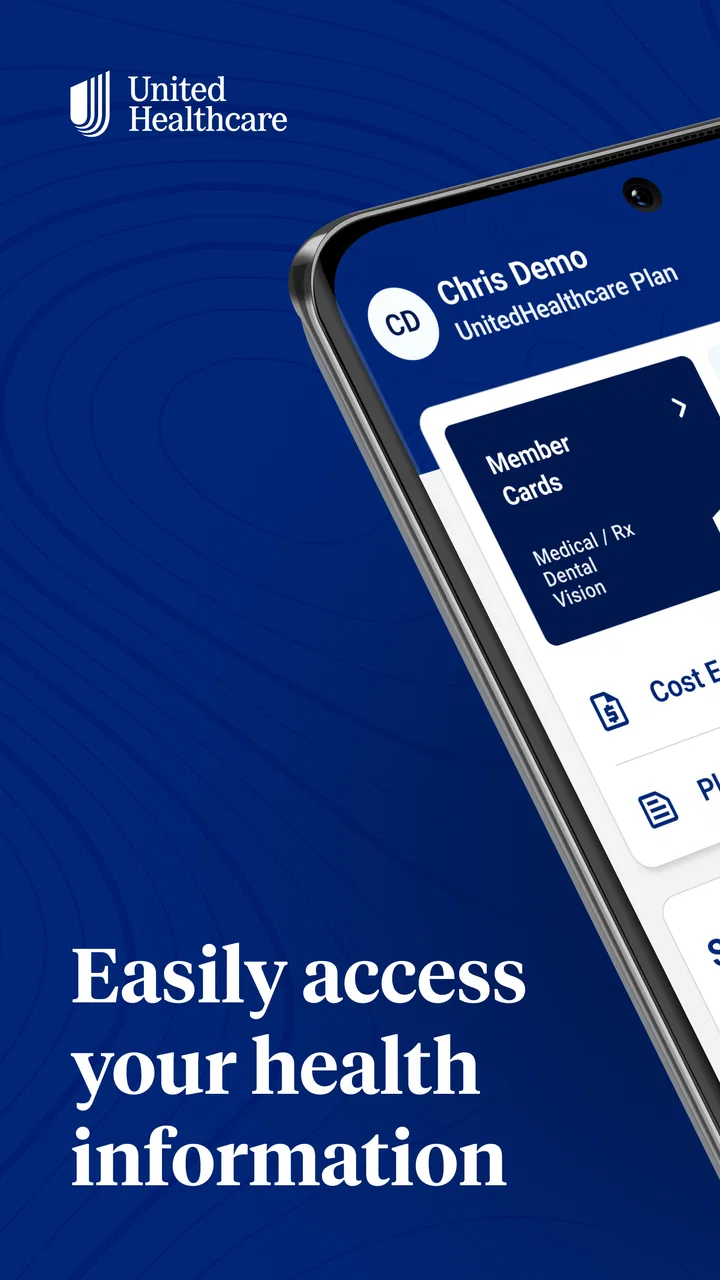
The UnitedHealthcare app provides a range of features designed to simplify your healthcare experience. You can easily access your insurance ID card, track claims, find doctors in your network, and manage prescriptions. The app also offers wellness resources and personalized health recommendations, making it a comprehensive tool for managing your health needs.
02Is the UnitedHealthcare app secure for managing my health information?
Yes, the UnitedHealthcare app is designed with security in mind. It uses encryption and secure login protocols to protect your personal and health information. Regular updates ensure the app complies with the latest security standards, providing peace of mind when accessing sensitive data.
03Can I access my family’s health information through the app?
The UnitedHealthcare app allows you to manage information for your family members, making it easy to track claims and prescriptions for everyone under your plan. You can switch profiles within the app to view different family members’ information, ensuring comprehensive family healthcare management.
04Does the UnitedHealthcare app support telehealth services?
Yes, the app supports telehealth services, enabling you to connect with healthcare professionals from the comfort of your home. You can schedule virtual appointments, consult with doctors, and receive medical advice directly through the app, which is especially convenient for non-emergency care.
05How do I troubleshoot issues with the UnitedHealthcare app?
If you encounter issues with the UnitedHealthcare app, you can start by checking for updates in the app store, as updates often fix bugs. If problems persist, the app provides a support section where you can find FAQs, contact customer service, or report issues directly for further assistance.
Pros
- User-friendly interface
- easy to navigate.
- Comprehensive coverage options available.
- Access to a wide network of providers.
- Helpful customer support and resources.
- Real-time updates on claims and benefits.
Cons
- May experience occasional app glitches.
- Some features require strong internet.
- Limited customization options.
- Notifications can be overwhelming.
- Initial setup can be time-consuming.

UnitedHealthcare
Gallery